
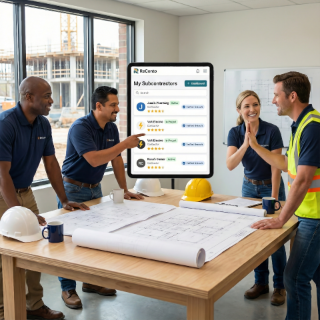
Employee Management - Organize Your Team and Assign Work | ReConto PRO

Organize Your Team and Assign Work Clearly

Employee/technician profiles, task assignment, performance tracking—simple but effective for small teams.

❌ The Pain

  • Employee info on paper or Excel—hard to keep updated
  • Don't know what tasks each tech has assigned
  • Hard to see each team member's performance
  • Verbal coordination that gets forgotten or misinterpreted
  • No record of who did what work and when

"Disorganized team = Duplicated work and unhappy clients."

🤖 The Solution

  • Profile for each employee/tech with contact info and specialty
  • Assign tasks clearly—each one sees what they need to do
  • Track work completed by each member
  • History of projects and visits per employee
  • Mobile app for each tech—sees assigned tasks

"Organized team = Efficient and professional work."

✅ The Result

  • Everyone knows what to do—less confusion
  • Easy to see who's available for new task
  • Performance record for evaluations and training
  • Clear accountability—know who did what
  • Easier onboarding of new members

Well-managed team = Scalable business.

NOT an HR Platform—It's Work and Performance Management

ReConto PRO does NOT have payroll, vacations or benefits. It's focused on: assigning work clearly, tracking what each employee completed, creating Improvement Agreements with employees (just like with clients), and seeing evaluations clients gave to team.
Employee management

Improvement Agreements with Employees

Just like you make Improvement Agreements with clients, you can make them with employees. If client gives 3 stars for "dirty patio", create Agreement with employee: "Clean patio before leaving". When employee fulfills internal agreements, client receives better service—perfect alignment.

How It Works

  1. 1

    Create profile for each employee/tech with contact info and specialties

  2. 2

    Assign tasks to specific employees—they receive notification on mobile app

  3. 3

    Employee sees their assigned tasks, marks progress, uploads photos

  4. 4

    You see what tasks each one has and if they're on time or behind

  5. 5

    History shows who did which projects/visits—useful for evaluations

  6. 6

    For small teams: simple coordination without unnecessary complexity

Employee management examples

Real Cases

  • You have 3 techs—see on panel who's free for urgent new task

  • New employee joins—sees experienced tech's history to learn

  • Client asks who did work 6 months ago—check in employee history

  • End of year evaluation—see all projects each tech completed

Employee Profiles

Contact info, specialties, availability


Clear Assignment

Each employee sees their tasks on mobile app


Work History

Projects and visits completed by each member

Features

And more

Performance Tracking

See each tech's productivity and quality


Team Coordination

Distribute workload equitably

Features

Employee Management For Small Teams

ReConto PRO is designed for residential service businesses with teams of 2-10 people. You don't need complex HR system—just need to organize who does what, when, and how the work turned out.

What You Can Do (And What You CAN'T)

You HAVE:

  • Employee profiles with specialties
  • Task and visit assignment
  • Work history per employee
  • Improvement Agreements with employees (just like with clients)
  • Client evaluations applied to team who did work

You DON'T Have:

  • Payroll
  • Vacation or time-off tracking
  • Benefits
  • Complex HR system

The Powerful Connection: Client Agreements → Employee Agreements

When client gives feedback <5 stars (ex: "patio was dirty"), you create two levels of agreements:

  1. Agreement with Client: "Next visit we'll clean patio completely"
  2. Agreement with Employee: "Juan, before leaving verify patio is clean + photo"

When employee fulfills their internal agreement, you automatically fulfill agreement with client. Perfect alignment that generates real improvement.

Client Evaluations → Team

Although it's not easy to get direct client evaluations per specific employee, each client evaluation automatically applies to team/employee who did the work. It's not perfect evaluation but helps in internal conversations: "Juan, client X gave 5 stars on project where you worked" or "Maria, there was 3 stars on project Y—let's review what happened".

Management focused on WORK and IMPROVEMENT—not on payroll. Improvement Agreements align internal team with client promises.

Frequently Asked Questions

No. It's simple team management for small businesses. Doesn't have payroll, vacations, benefits—just organizes work assignments and performance tracking.

Yes. Each tech has their own account (included in your PRO subscription) to see assigned tasks on mobile app and report completed work.

Yes. See how many projects/visits they completed, evaluations they received from clients, pending vs completed tasks. Useful for evaluations and bonuses.

Not as such for daily management. BUT you can use Improvement Agreements functionality with subcontractors—just like with employees or clients. That's most useful: create specific commitments and track if they fulfill them.

Their work history stays permanently. You can deactivate their account but keep record of what projects they did—useful for transitions or if client asks who did work.