
Simple Visit Scheduling
Add or adjust visits quickly while organizing routes in real time. Account for team capacity for smooth scheduling and notify clients immediately about any changes.
Plan daily routes, see complete client info before arriving (agreements, evaluations, to-dos), and reduce travel time—simple and effective tool.
"Disorganization = Wasted time + poorly served clients."
"Simple organization that works—without unnecessary complexity."
Simple, organized, effective.

When visiting client, ReConto shows you EVERYTHING instantly: Pending improvement agreements? Last evaluation? Open to-dos? You arrive prepared to serve them professionally—not improvising.
Plan visits by day on simple calendar
ReConto suggests route minimizing total distance (doesn't consider traffic yet)
Before each visit, see pending agreements, previous evaluation, open to-dos
During day, mark when you arrived/left each client
System alerts if at risk of delay for next visits
Team documents work with photos, can request signature, send to admin or directly to client

Landscaper organizes weekly visits by zone—minimizes drives between houses
HVAC tech sees before visit: "Client gave 3 stars for dirty patio—active Improvement Agreement"
Cleaning sees map with all their clients by team—assigns new ones near existing route
Plumber receives alert: "You're 20 min behind—next 2 visits at risk"
Add or adjust visits quickly while organizing routes in real time. Account for team capacity for smooth scheduling and notify clients immediately about any changes.

Monitor team check-in records with accuracy and timestamps for precise documentation. Capture key details including photos and work data, and keep clients informed with alerts.
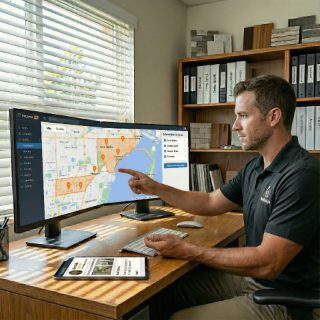
Visualize upcoming visits from multiple teams on a map or calendar. Assign new clients or tasks based on team availability and proximity, ensuring seamless coordination.

Identify and address any potential delays to maintain punctual service. Keep clear communication with your team to manage schedules efficiently.

Team can take photos of completed work, collect client acceptance signature, and send complete report—all from mobile app. Can send to admin for editing or directly to client.
Before each visit, see pending improvement agreements, client's last evaluation, open to-dos, and previous visit history. Arrive prepared to serve professionally.
⚠️ Honesty about functionality: For now we DON'T have: sophisticated optimization with traffic, drag-and-drop visits, real-time GPS of truck moving. We're working on adding them. What we DO have works well to organize your day and arrive prepared at each client.
Studies show basic route optimization can reduce 20-30% drive time. Although ReConto PRO doesn't yet have sophisticated optimization, day planning and route suggestion minimizing distance ALREADY saves you time vs organizing in Excel or paper.
Managing routes effectively isn't just about convenience—it's about saving money, improving service reliability, and protecting your business reputation.
According to National Renewable Energy Laboratory, optimizing routes can reduce fuel consumption by 20-30% in field service operations. Geotab research shows that poorly planned routes make service teams lose up to 25% of their productive time each day.
1. Increased Costs
Excessive driving wastes fuel, increases vehicle maintenance, and generates inefficiencies—costing approximately $30-$50 USD per wasted driving hour.
2. Lower Client Satisfaction
According to Field Service News, 52% of service cancellations are due to delays caused by poor planning.
3. Greater Stress for Technicians
Constant rescheduling without clear organization causes burnout and service errors.
4. Environmental Impact
More unnecessary miles mean more emissions, negatively affecting your ecological footprint.
1. Save Money on Operations
Reduce fuel consumption, vehicle wear and overtime by organizing visits intelligently.
2. Better Client Experience
Arrive on time, reduce cancellations—increasing trust and loyalty.
3. Improve Team Productivity and Morale
Less driving time = less stress and better performance for technicians.
4. Reduce Environmental Impact
Driving fewer miles decreases carbon footprint—important value for eco-conscious clients.
Although ReConto PRO doesn't yet have sophisticated optimization, basic day organization + complete client info ALREADY saves you time, money and improves satisfaction vs Excel or paper.
No (yet). For now it suggests route minimizing total distance, but DOESN'T consider traffic or street details. It's basic optimization. We're working on adding sophisticated optimization in the future.
No (yet). For now it's planned by day without drag-and-drop. We'll add that functionality in the future.
No. Tracking is NOT real-time of the truck. You see when they arrived/left last client, and if at risk of delay for next visits.
Shows you COMPLETE client info before visit (pending agreements, evaluations, to-dos). Helps you organize visits by day and see team capacity. Suggests basic route minimizing distance. Team documents with photos and signatures.
Yes. Sophisticated optimization with traffic, drag-and-drop, and real-time GPS are in development. For now the tool is simple but useful to get organized.