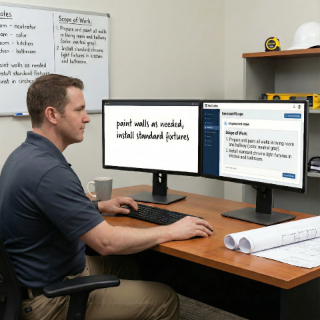
Co-write with AI: professional documents, no stress
Turn vague notes into clear scopes, professional contracts, and approval-ready change orders. AI helps you write like a pro—faster.
Upload your contract and let AI review it for risks, vague terms and missing clauses. Get links to free contract templates and improve your agreements—ReConto never generates contracts to avoid legal liability.

Upload your contract and AI reviews it for vague terms, missing clauses, and potential risks. Get flagged sections to improve before sending to your client. AI also provides links to free and professional contract templates you can customize—but ReConto never generates contracts directly to avoid legal liability. You stay in control of what you sign.
Turn verbal promises and text messages into structured clauses your client signs before work starts.
Set deposits, milestones, and final payments linked to real project phases, not vague dates.

Send contracts and change orders for approval, record who approved what, and keep a single source of truth for each project.
Use your own clauses and risk preferences while the AI helps you detect missing elements and inconsistencies.
Start with your contract (use a template or create your own based on scope of work from Phase 1)
Upload your contract to ReConto PRO and AI reviews it for vague terms like 'standard', 'typical', 'as needed' that cause disputes
AI flags risks, missing sections (warranties, payment terms, dispute resolution) and suggests improvements
Get links to free contract templates (basic to sophisticated) if you need a starting point—ReConto provides resources, never generates contracts directly
Refine your contract, share with client for digital approval, and lock it to the project as reference for all future work
Turn vague notes into clear scopes, professional contracts, and approval-ready change orders. AI helps you write like a pro—faster.

ReConto’s AI summarizes messages and documents, then recommends what to do next so nothing slips through the cracks.

Detects risks, estimates timelines, and flags vague terms before they become expensive problems. Smart help, without losing control.

Remodeling contractor separates 'base scope' from optional upgrades, so every cabinet, countertop, and finish is clearly documented in the contract
Landscaping company defines seasonal maintenance visits, irrigation adjustments, and extra services as separate contract items with clear pricing and renewal dates
HVAC contractor documents what is covered under warranty, what counts as a new project, and how emergency visits are billed after hours
Handyman business uses simple, AI-assisted contracts for small jobs, reducing disputes when clients ask for 'just one more thing' outside the original scope
Most residential projects don't start with conflict. Homeowners and contractors usually want the same thing: a finished project, on time, for a fair price. The problem appears when expectations were never written down clearly. The client assumes that "of course" cleanup is included. The contractor assumes that "obviously" electrical work is extra.
Weeks later, both sides feel the other is being unfair, and the relationship turns into a negotiation about who will absorb the cost.
Traditional contract templates help, but they're often written in dense legal language that neither the homeowner nor the contractor really reads.
Many small contractors copy a template from an old job, search and replace the client name, and hope for the best.
Below are recurring patterns we see when reviewing contracts and disputes in residential projects. ReConto PRO was designed specifically to prevent these situations.
Mistake #1: Scope and contract don't match
The proposal describes one thing, the contract describes another, and the client signs without noticing. When a problem arises, each side refers to a different document.
Mistake #2: No clear rule for change orders
The contract says "additional work will be billed separately" but doesn't explain HOW changes will be requested, approved, priced, and paid.
Mistake #3: Vague payment schedule
Phrases like "50% upfront and 50% at completion" sound simple but create tension when the project takes longer than expected or is delivered in stages.
Mistake #4: Responsibilities are not defined
Who moves furniture? Who obtains permits? Who is responsible for pre-existing damage? Without clear assignments, every surprise becomes a dispute.
Mistake #5: No version control
Multiple PDFs and email threads exist with different "final" versions. Nobody is sure which one was actually signed.
Before – typical weak clause:
"Contractor will remodel the kitchen for $48,000. Includes cabinets, counters, sink, and appliances. 50% due at start, 50% at completion."
This leaves dozens of unanswered questions: what quality of cabinets and appliances? Who pays for unexpected electrical upgrades? What happens if the client changes finishes after ordering?
After – AI-assisted clear contract:
Kitchen Remodel Agreement
The second version references the scope, explains assumptions, defines payment milestones, and clarifies how changes work. If the client later wants different countertops, you have a clear process to approve and bill the change.
ReConto PRO does not invent legal rules. Instead, it organizes information you already have and prompts you to consider elements that contractors often forget to document. For example, the AI can highlight that your scope mentions work in an occupied home but your contract doesn't talk about access, working hours, or protection of existing finishes.
You remain in control; the AI simply reduces the risk of omissions.
Over time, you can evolve your own "playbook" of preferred clauses. Once reviewed by your legal advisor, these clauses can be reused across projects with small adjustments. ReConto PRO makes it easy to update templates, apply them consistently, and keep track of which version was used for each signed contract.
A good construction contract in residential projects should answer these questions clearly:
The contract is the bridge between the diagnostic, the scope, and the execution. When Phase 3 is done well:
Instead of treating contracts as static PDFs that live in a folder, ReConto PRO turns them into a living reference. Site visits, inspections, and client meetings all point back to the original agreement.
No. ReConto PRO helps you draft clearer, more organized construction contracts, but it does not provide legal advice. We recommend that you have a lawyer review your standard templates before using them with clients.
Yes. You can start from your existing contract templates and let the AI Contract Assistant adapt language, insert project-specific data, and suggest missing clauses while keeping your legal structure.
ReConto connects your scope of work, contract, and change orders in one place. It helps you clearly specify what is included, what is excluded, and how changes will be approved and paid before the work is done.
Yes. You can send contracts and change orders for digital approval, keep a record of every version, and attach signed documents directly to each project.
No. ReConto PRO was designed for small and mid-size residential contractors—remodelers, landscapers, HVAC, plumbers, electricians, and other trades working on residential projects.