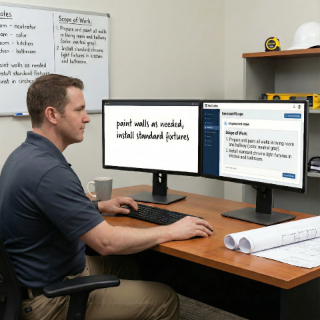
Co-write with AI: professional documents, no stress
Turn vague notes into clear scopes, professional contracts, and approval-ready change orders. AI helps you write like a pro—faster.
Document every task, visit, and change so everyone stays informed.
"If it's not documented, it didn't happen."
"Finally, clarity you can rely on."
Your timeline becomes untouchable.
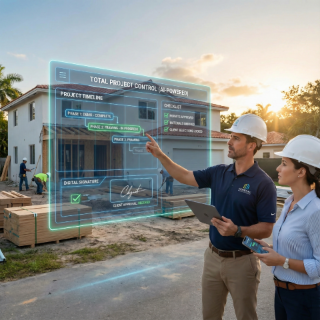
Every visit, task completion, delay, and client interaction is documented in one chronological timeline. Field teams can update from mobile. Office staff can monitor from web. Clients can see approved summaries. Everyone stays on the same page without endless status calls.
Know what's happening today—not a week later.
Before & after photos tied to tasks and visits.
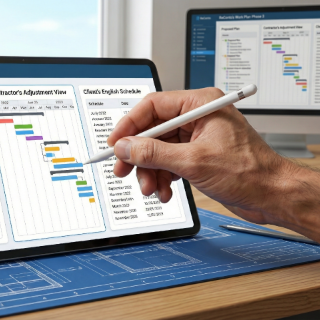
Log weather, materials, subcontractor or client delays.
AI-generated messages keep clients informed without overwhelming them.
Technician opens the scheduled visit from the Work Plan
Tasks appear with checklists, required photos, and notes
Delays or issues are flagged with a single tap
AI converts documentation into clean client updates
The contractor sees a real-time timeline of progress
Turn vague notes into clear scopes, professional contracts, and approval-ready change orders. AI helps you write like a pro—faster.

ReConto’s AI summarizes messages and documents, then recommends what to do next so nothing slips through the cracks.
Detects risks, estimates timelines, and flags vague terms before they become expensive problems. Smart help, without losing control.
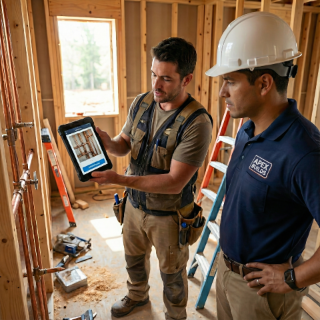
Remodeling crews documenting progress for homeowners with before/after photos at each milestone
HVAC techs logging maintenance visits, inspections, and equipment warranties
Landscape teams documenting recurring service visits, seasonal changes, and property conditions
Handyman teams capturing before/after evidence for insurance claims and quality verification
Most residential contractors prefer to focus on the work itself, not on documentation and status calls. But today's homeowners expect regular updates, visible progress, and proof that the project is moving according to plan. When contractors don't provide this transparency, clients fill the gap with anxiety, repeated calls, and negative reviews mentioning "poor communication."
The problem isn't that contractors don't do good work—it's that the work isn't documented in a way clients can see and understand.
ReConto PRO's Tracking phase solves this by making documentation automatic, not optional.
Mistake #1: Photos stay on technicians' phones
Result: When a dispute arises months later, critical evidence is lost or deleted.
Mistake #2: No daily logs or visit summaries
Result: Hard to reconstruct what happened when, who approved what, or why the schedule changed.
Mistake #3: Client updates are inconsistent or missing
Result: Clients leave negative reviews mentioning "no communication" even when the work was excellent.
Mistake #4: Discovered issues are not documented in real time
Result: Contractor can't justify change orders because there's no timestamped proof of when the issue was found.
ReConto PRO organizes tracking data into categories that match how contractors actually work:
The challenge with tracking is that it feels like extra administrative work on top of an already busy day. ReConto PRO uses AI to reduce the burden:
Each entry is timestamped, photo-backed, and connected to the Work Plan. When the client asks "why was there a delay?" the contractor can show the documented supplier delay, not just say "things happen."
Tracking is most powerful when it connects to the full project workflow:
When you document every visit and task as you go, the final project report writes itself.
Tracking is the phase where contractors monitor real-time progress: tasks completed, photos, notes, delays, site conditions, and client communication.
Yes. You can log delays with a cause category such as weather, material shortage, subcontractor issues, or client unavailability.
No. Contractors control what clients see. Internal notes are separate from client-facing daily summaries.