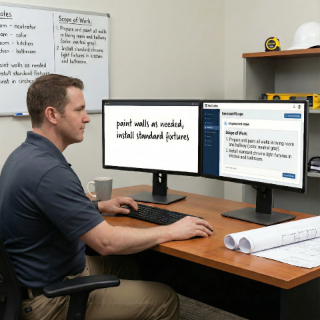
Co-write with AI: professional documents, no stress
Turn vague notes into clear scopes, professional contracts, and approval-ready change orders. AI helps you write like a pro—faster.
Phase 7 – Payments: Protect your cash flow with structured deposits, milestone payments, and AI-assisted invoicing.
"If you can't prove it, it's hard to collect it."
"Every payment backed by evidence."
Clean invoices → Faster money.

ReConto PRO helps you set clear payment schedules tied to project milestones, generate professional invoices backed by photos and completed tasks, and track which payments are pending, partial, or overdue—all in one place.
Set milestones aligned with phases and tasks.
Line items pulled from scope & approved changes.

Clients receive structured reminders with links.
Document which tasks are completed and unpaid.
ReConto PRO doesn't just organize your projects—it handles the entire payment cycle from initial estimate to final collection.
Option 1: Online Payments with Stripe
Option 2: Manual Payments (Check, Cash, Transfer)
💡 With or without Stripe, ReConto keeps everything organized: what was approved, what was invoiced, what was paid, and what's still pending.
Define your deposit, milestones, and final payment based on the contract
ReConto builds your invoice using scope + tasks + change orders
Send invoices instantly with payment options and due dates
Track partial, full, or overdue payments in real time
Attach evidence when clients request clarification on charges
Turn vague notes into clear scopes, professional contracts, and approval-ready change orders. AI helps you write like a pro—faster.

ReConto’s AI summarizes messages and documents, then recommends what to do next so nothing slips through the cracks.

Detects risks, estimates timelines, and flags vague terms before they become expensive problems. Smart help, without losing control.

Remodelers billing per milestone: deposit, framing, drywall, final completion
Handyman services with small invoices needing quick, professional billing
Landscapers with recurring monthly payments tied to service visits
HVAC repair & replacement providers managing deposits and post-installation payments
Many residential contractors start projects with minimal deposits or payment schedules that push most of the cash to the end. They assume clients will pay promptly once the work is complete. The reality is more complicated: clients may delay final payment waiting for tiny punch-list items, question charges they don't understand, or struggle with cash flow themselves.
Without a clear payment structure tied to real project milestones, contractors carry all the financial risk.
They pay for materials and labor upfront while waiting weeks or months to collect.
Mistake #1: Deposits too small to cover initial costs
Result: Contractor funds materials and early labor from their own pocket, creating cash flow pressure.
Mistake #2: Payment milestones not tied to real work completion
Result: Client delays milestone payment because "it doesn't look done yet" even though critical work is complete.
Mistake #3: Change orders billed all at once at project end
Result: Client shocked by final invoice and disputes charges they don't remember approving.
ReConto PRO helps you move from ad-hoc billing to a structured payment process:
Payment management works best when integrated with the full project flow:
When every invoice ties back to documented, photo-backed work completion, payment disputes drop significantly and cash flow becomes more predictable.
Yes. ReConto PRO lets you define deposits, milestones, and progress billing schedules connected to your contract and scope.
Yes. ReConto integrates with online payment options so clients can pay securely and quickly.
Yes. You can flag unpaid work and generate evidence-based reminders using photos, logs, and approved change orders.
Yes. AI drafts invoices with the correct line items from the scope, work plan, and approved change orders.
Every invoice line item can link back to photos, task completion logs, and client approvals from the tracking phase, giving you solid documentation when billing.